Know how your spaces are actually being used.
LEXI combines occupancy sensing, people counting and space-use data to show where people are, how spaces are being used and when demand changes.
Use the same data to improve space planning, cleaning, HVAC, lighting and day-to-day facility operations.

Move from estimated space use to measured demand.
LEXI connects supported occupancy and people-counting sensors to a shared building context so teams can understand use by entrance, floor, room, zone and time.
Count
Measure entries, exits and occupancy using supported sensing technologies.
Locate
Associate counts and occupancy with the property, floor, room or zone where they occur.
Understand
Compare utilization, traffic and demand patterns across spaces and time periods.
Act
Use measured demand to inform facility, energy, service and planning workflows.
See presence, traffic and utilization without relying on schedules.
LEXI supports multiple sensing approaches so each space can use the right level of occupancy or counting detail.
Room & zone occupancy
Track occupied / unoccupied state for rooms, zones and shared spaces using supported sensors.
People counting
Measure entrances, exits and directional people flow using supported counting sensors.
Utilization
Compare actual space use by hour, day, room, floor or property.
Traffic patterns
Identify peak periods, demand shifts and high-use areas across buildings and portfolios.
Privacy-aware sensing
Use aggregate or anonymized occupancy and people-counting data without requiring personally identifiable information.
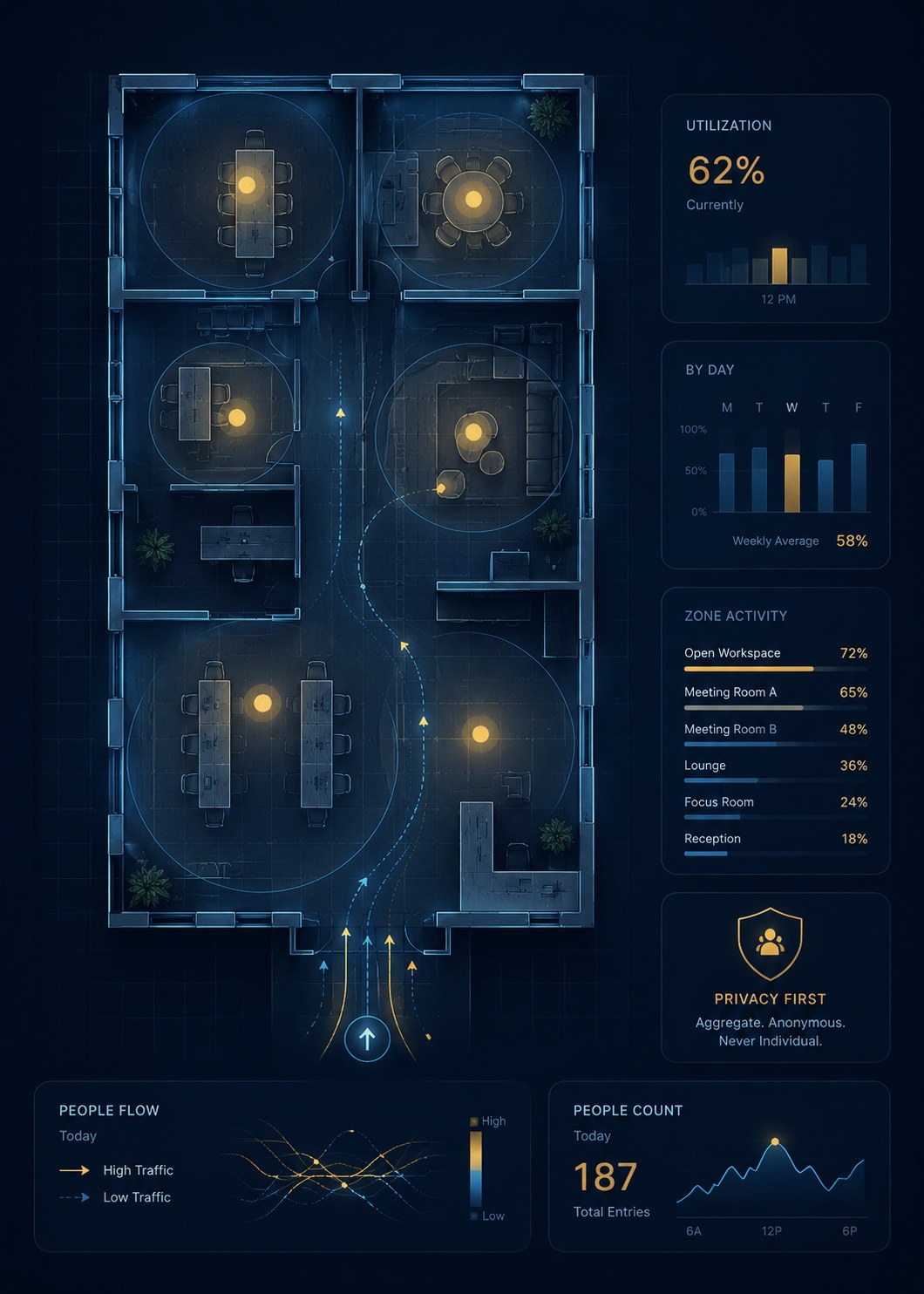
Service the spaces people use - when they use them.
Measured occupancy can replace fixed-frequency assumptions with demand-based facility workflows.
Cleaning & sanitation
Prioritize cleaning and service using measured use, configured thresholds and operating schedules.
Staffing & service planning
Use traffic and demand patterns to inform facility staffing and selected service workflows.
Capacity visibility
Track configured occupancy thresholds and surface spaces approaching defined limits.
Exception-based workflows
Trigger approved inspections, notifications or service tasks when occupancy conditions meet defined criteria.
Understand which spaces are earning their footprint.
Occupancy data can show where demand is concentrated, which spaces are underused and how utilization changes across a portfolio.
Room & floor utilization
Compare usage across rooms, floors, zones and buildings using measured occupancy data.
Peak-demand analysis
Identify when and where occupancy reaches recurring peaks.
Portfolio comparison
Compare utilization patterns across multiple properties using a consistent location hierarchy.
Space-planning support
Use measured demand as an input to workplace, amenity, leasing and facility-planning decisions.
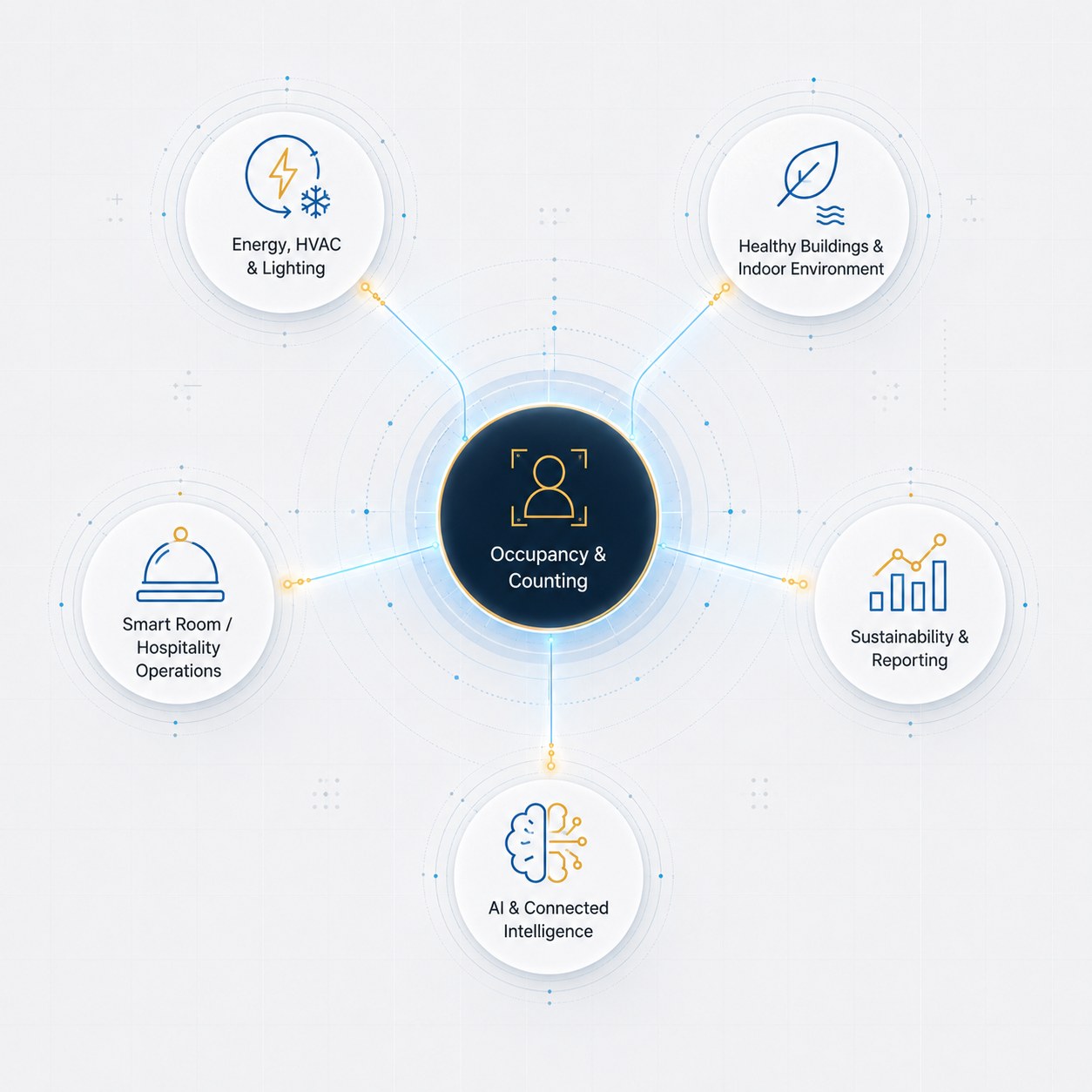
Reuse occupancy data wherever actual demand matters.
The same occupancy and people-counting data can improve energy, facility and enterprise workflows without adding another sensing layer.
Energy, HVAC & Lighting
Use actual occupancy to inform supported HVAC schedules, setbacks, ventilation and lighting strategies.
Healthy Buildings & Indoor Environment
Combine occupancy with environmental conditions to understand which occupied spaces need attention.
Smart Room / Hospitality Operations
Use room occupancy to support comfort, energy and selected service workflows.
Sustainability & Reporting
Reuse utilization data in selected building-performance and portfolio analysis.
AI & Connected Intelligence
Expose approved aggregate occupancy data to APIs, partner analytics and enterprise systems.
Begin with counting, utilization or a specific operating workflow.
Start with the spaces where occupancy data can change a decision today, then expand sensing and analytics across the same connected edge.
Count people
Measure entries, exits, directional flow and selected occupancy totals.
Understand utilization
Compare how rooms, floors and properties are actually being used.
Optimize facility operations
Use measured demand to improve cleaning, staffing, HVAC, lighting and selected service workflows.